
Emelowsky Plugins / Plugin Shelf
Plugin Shelf for REAPER
A visual plugin browser for REAPER: your plugins as tiles, one click puts them on the track.
What it does
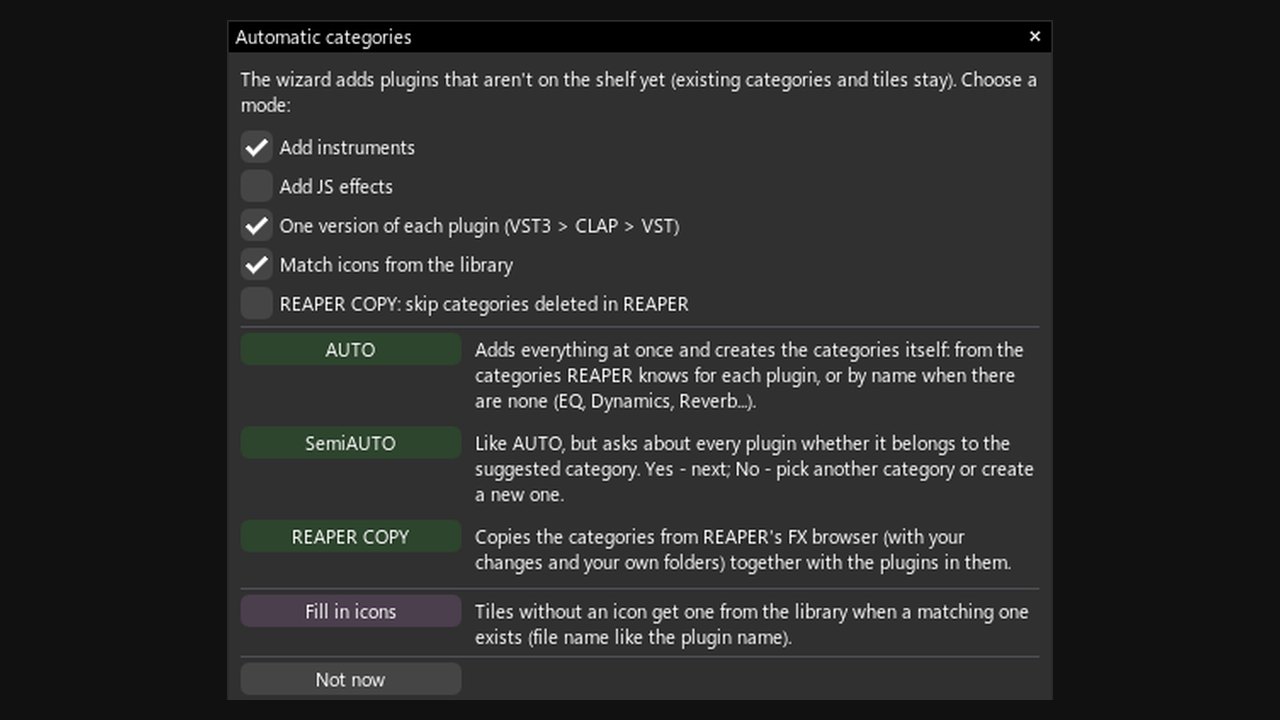
Plugin Shelf turns your plugins into a visual shelf of tiles inside REAPER. Click a tile and the plugin lands on the selected track or item. The shelf fills itself in seconds and comes with over 4000 plugin icons.
- A shelf that fills itself: automatic categories (EQ, Dynamics, Reverb...) or a copy of your REAPER folders
- Over 4000 plugin icons from 130+ developers; missing one? capture it from the plugin window
- FX chains as tiles - insert a whole chain with one click
- Search by word fragments in any order: "comp air" finds AIR Compressor
- Every plugin gets its own REAPER action - shortcuts, toolbar buttons, MIDI, Stream Deck
- Plugin Shelf Override opens the shelf instead of REAPER's Add FX window
Free demo: up to 4 categories with 5 plugins each. Unlock the full version with a key - no reinstall.
Install
Gumroad: download the zip from the product page and follow the quick start guide inside.
ReaPack: Extensions > ReaPack > Import repositories, paste https://raw.githubusercontent.com/Emelowsky/reapack/main/index.xml, then find Plugin Shelf in Browse packages.
Requires: REAPER 6 or 7 (Windows, macOS, Linux) and the free ReaImGui extension (ReaPack).