
Emelowsky Plugins / Item Drop
Item Drop for REAPER
Move delivered recordings onto the tracks of your mix template - one click per move.
What it does
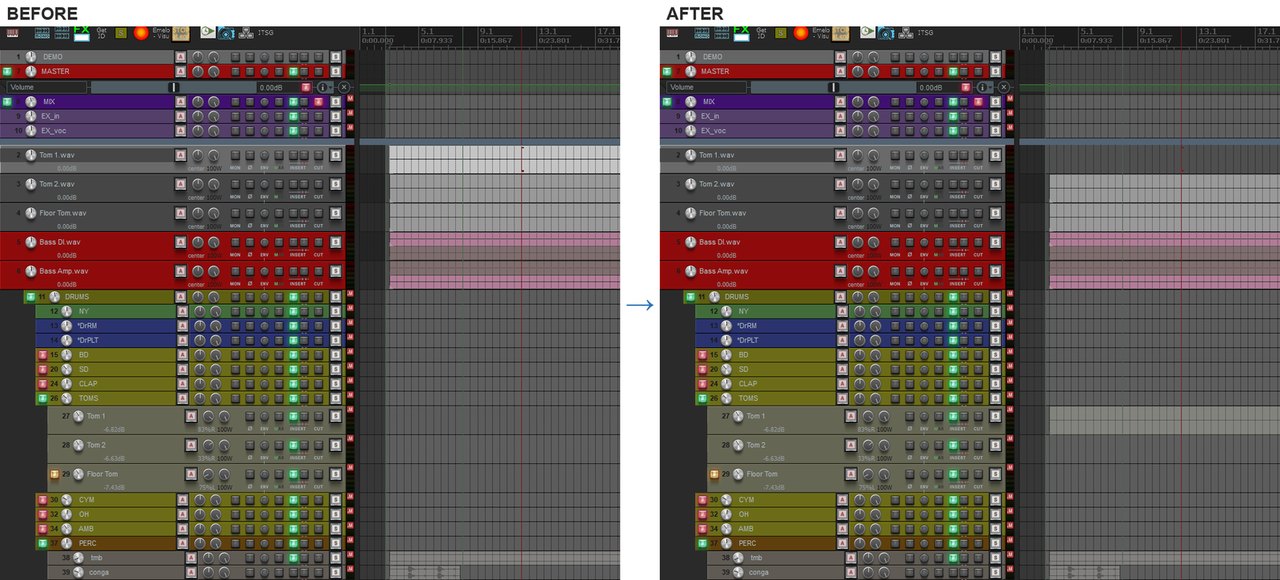
Your template already has its tracks, with plugins and sends. When new recordings come in, Item Drop moves the selected items onto those tracks with one click. Position, length and every take stay exactly where they were - only the track changes.
- Select items, click the target track in the list - done
- Items from several tracks move in one click
- Position, length and all takes stay the same
- Empty template tracks are easy to spot in the list
- Last target at the top: press Enter to send the next selection there again
- Every move is one undo step
Free demo: up to 3 items per move. Unlock the full version with a key - no reinstall.
Install
Gumroad: download the zip from the product page and follow the quick start guide inside.
ReaPack: Extensions > ReaPack > Import repositories, paste https://raw.githubusercontent.com/Emelowsky/reapack/main/index.xml, then find Item Drop in Browse packages.
Requires: REAPER 6 or 7 (Windows, macOS, Linux) and the free ReaImGui extension (ReaPack).